





Designed to be fast and easy to use.

Stop wasting time searching for files.

Find files instantly by what you remember: the name, a line of text, something someone said, a scene. Map all your folders on one screen: navigate faster and always know which folder you're in. Preview documents, videos, audio, images and 3D models right there, without opening them one by one.

  • 7-day unconditional guarantee

What some of our users are saying

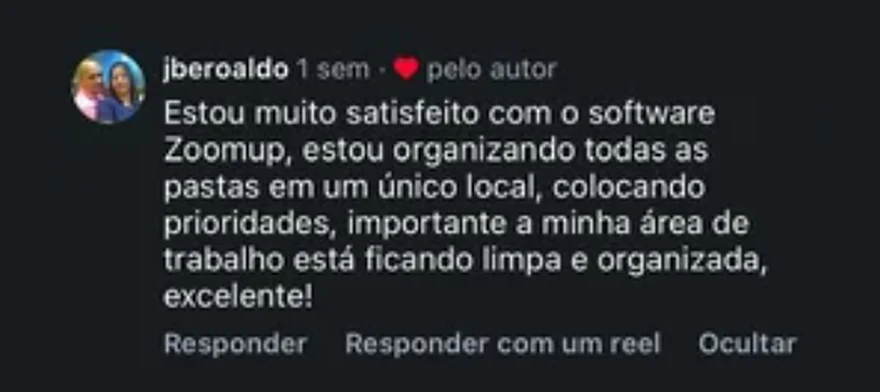
  • Instagram comment from jberoaldo (in Portuguese): “I'm very happy with the ZoomUp software. I'm organizing all my folders in one place and setting priorities; most importantly, my desktop is getting clean and organized. Excellent!”
  • Customer message on WhatsApp (in Portuguese): “Really great to use, because I browse through a lot of folders all the time myself, and it makes that easier and faster.”
  • Customer message on WhatsApp (in Portuguese): “Congratulations on the app, and keep the updates coming.”
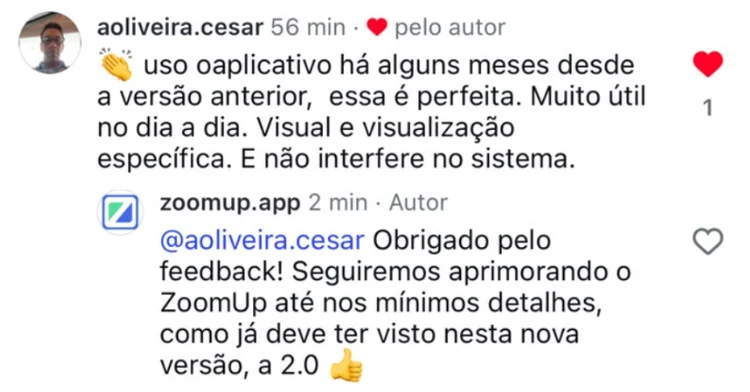
  • Instagram comment from aoliveira.cesar (in Portuguese): “I've been using the app for a few months, since the previous version, and this one is perfect. Very useful day to day. Visual and specific viewing. And it doesn't interfere with the system.”, with a reply from the zoomup.app profile: “@aoliveira.cesar Thank you for the feedback! We'll keep improving ZoomUp down to the smallest details, as you may have already seen in this new version, 2.0”.
  • Customer message on Instagram (in Portuguese): “All right, my friend.. Thanks, I saw it on YouTube...I thought it was automatic, but I'll do it manually. Excellent platform. Loved it. Thanks”
  • Instagram comment from dan_aciolly (in Portuguese): “Awesome..I use it”, with a smiling emoji.
  • Customer message on WhatsApp (in Portuguese): “Great, I'm enjoying it.”
  • Instagram comment from janateotonio (in Portuguese): “Loved it”, with a reply from the zoomup.app profile.
  • Customer message on WhatsApp (in Portuguese): “If I can help with anything else, count on me. ZoomUp came along to help me. I need to keep my routine and my folders well organized.”

Looking for files: the time thief you don't even notice.

Minute by minute, the day slips away. ZoomUp fixes it.

  • “I lose a lot of time browsing through my folders.”
  • “I stop several times a day to look for a file.”
  • “I know I saved it. I don't know where.”
  • “I open folder inside folder until I find it.”
  • “I remember what's inside, not the name.”
  • “I open file after file just to check.”
  • “I have thousands of photos and can't find the right one.”
  • “I recorded the meeting and can't find the right minute.”
What is ZoomUp

Instant search + Explorer with a visual map + Multi-format viewer

  1. 1 Instant search
  2. 2 Explorer with a visual map
  3. 3 Multi-format viewer

Find even the words spoken in an audio file or written in a photo.

Absurdly fast search, across your whole computer and all your files.

  1. 1 Instant search
  2. 2 Explorer with a visual map
  3. 3 Multi-format viewer

All your folders on one screen.

  • Add the folders you use most to the sidebar (the colored icons on the left). The video shows the Visual Map of one of them.
  • They become the Visual Map: all on one screen, each in its own color.
  • Click a folder and its files show up right beside it.
  1. 1 Instant search
  2. 2 Explorer with a visual map
  3. 3 Multi-format viewer

Open files right inside ZoomUp.

Many formats: documents, photos, floor plans, videos, audio and much more.

Productivity

Searching for files is throwing money away.

And yet professionals spend more than 25% of their work time searching for information (research cited in McKinsey Quarterly). That can be more than one day a week that doesn't turn into a deliverable, doesn't turn into a sale, doesn't turn into money. If your time is worth $30 an hour and you work at a computer, that can add up to close to $1,000 a month thrown away.

With ZoomUp, searching takes just moments. Here's what you gain:

  • Time: far less time searching, more time getting work done.
  • Ease: find things by what you remember, whether it's a snippet, something said or a scene.
  • Focus: you find it and get back to what you were doing, fast!
  • Peace of mind: the file you're looking for shows up instantly, with no effort.
  • Precision: opens the file right at the part you searched for.
  • Clarity: a bird's-eye view of your folders on one screen, with more control.
  • Convenience: see the file right there, without opening other windows or apps.
  • Breathing room: less rushing, more free time and a much cleaner screen.
Plans

Choose your plan.

Both plans include the full ZoomUp.

ZoomUp Annual

Was R$ 87 now

R$57

per year

renews every year · cancel anytime

  • 1 computer
  • Updates for Windows 10 and 11 (64-bit) while your plan is active. On a Mac? Join the waitlist.
  • Support whenever you need it, by email, WhatsApp or Instagram
  • Maps all your folders on one screen
  • Previews files in many formats
  • Search by folder and file names
  • Search by file contents
  • Search by text in images and videos
  • Search by speech in audio and video
  • Search by scenes and objects in images and videos
  • 1 computer
  • Updates for Windows 10 and 11 (64-bit) while your plan is active.
  • All the features of the Lifetime plan
Get the Annual plan
Cheaper than the Annual plan from the 2nd year on

ZoomUp Lifetime

Was R$ 147 now

R$77

one-time

One payment, no monthly fees and no expiration date.

License for Windows 10 and 11 (64-bit). Updates included for as long as ZoomUp is being developed. On a Mac? Join the waitlist.

  • 1 computer
  • All the features of the Annual plan
  • 1 computer
  • Support whenever you need it, by email, WhatsApp or Instagram
  • Maps all your folders on one screen
  • Previews files in many formats
  • Search by folder and file names
  • Search by file contents
  • Search by text in images and videos
  • Search by speech in audio and video
  • Search by scenes and objects in images and videos
Get the Lifetime plan

For those who'd rather pay just once.

7-day unconditional guarantee. 100% money back.

Requirements: Windows 10 or 11 (64-bit), Intel or AMD processor (x64); 4 GB of memory; 1 GB of free disk space. On a Mac? Join the waitlist.

Before you decide

Frequently asked questions

File Explorer is still there: ZoomUp doesn't replace it, it complements it. File Explorer browses folders; ZoomUp takes you straight to the file:

  • Instant search: finds files by what you remember, even by something said or a scene.
  • Explorer with a visual map: your folders on one screen.
  • Multi-format viewer: lets you check files right there, without opening them one by one.

It can save you hours every week. In the end, what you're buying is time.

Get ZoomUp

One license covers 1 computer (one Windows installation). Got a new computer or reinstalled Windows? Just activate it on the new one: the old one is deactivated the next time it connects to our server (usually within 1 day). You get up to 3 automatic transfers every 30 days; beyond that, support unlocks more by email. Reinstalling Windows counts as a new computer.

It doesn't need to. On its own, it changes nothing: it finds and maps. Copying, moving, renaming or deleting only happens when you ask, just like in File Explorer.

You have 7 days to change your mind and get all your money back, counting from the payment confirmation or the "Compra confirmada" (purchase confirmed) email, whichever comes later. Install it, really use it and, if you don't like it, just write to us within that time. No need to explain why.

No. Even the first time, when it builds the index by reading your files and folders, memory (RAM) and processor use is very low: ZoomUp paces itself and doesn't weigh your computer down. And you choose when it happens. After that, it stays light.

No. ZoomUp paces itself and keeps memory (RAM) and processor use very low, even the first time, when it builds the index. And you can pause it whenever you like. It runs on as little as 4 GB of memory.

Yes. The folders show up on the map like any other folder. A file that's still only in the cloud is included as soon as it's downloaded to the computer. For speech and image search, Windows may download files that were only in the cloud.

Privacy

ZoomUp doesn't send your files to the internet.

Your documents, photos, audio and videos stay right where they are.

Stop searching.

Get ZoomUp

From R$ 57 · 7 days to change your mind